Mobile app
Your business in your pocket
Bill at the counter, on a site visit or on the road. The same books as on the web, always in sync, locked with Face ID or a PIN, and still working when the signal drops.
Coming soon to the App Store and Google Play
Everything you need, on the phone
Invoices, quotes and receipts
Tax invoices, quotations, credit notes and payment receipts, with your design. Share the PDF on WhatsApp or email.
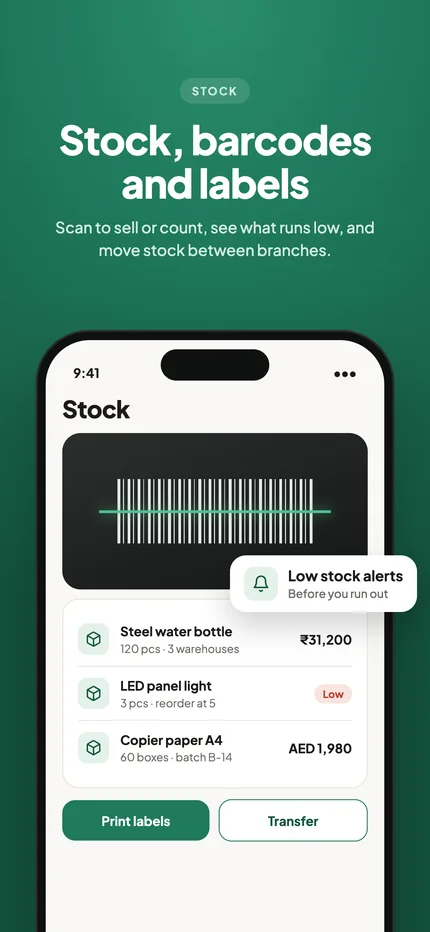
Camera barcode scanning
Scan a product to add it to the bill, find it in your list, or move stock. No scanner needed.
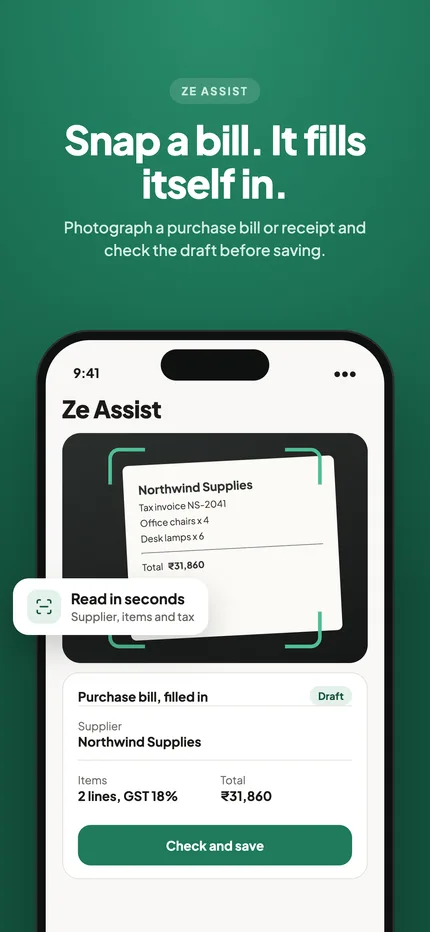
Snap a bill, Ze Assist fills it
Photograph a supplier bill or an expense receipt and check the draft Ze Assist prepares before you save.
Stock on the go
Purchase bills, batches and expiry, serial numbers, low-stock alerts and reorder suggestions.
Receipt printing
Print 58 mm and 80 mm counter bills, or A4 and A5 invoices, straight from the phone.
Reminders that matter
Overdue invoices, supplier bills due, low stock, expiring batches and tax filing dates in one list.
Reports in your hand
Sales, profit, outstanding, tax summaries, cash book and bank matching, on phone and tablet.
Every screen size
From small phones to large tablets, with a two-pane layout on tablets and dark mode.
POS on a tablet or phone
Tables, kitchen orders and cash, UPI or card at the counter or on the floor.
Payroll in your pocket
Enter leave and overtime, approve the month, share payslips and mark salaries paid.
Clinic on the go
Today’s appointments, consultations and prescriptions shared with the patient.
Job cards and salon bookings
Repairs from drop-off to invoice, and the salon day book by stylist with checkout.
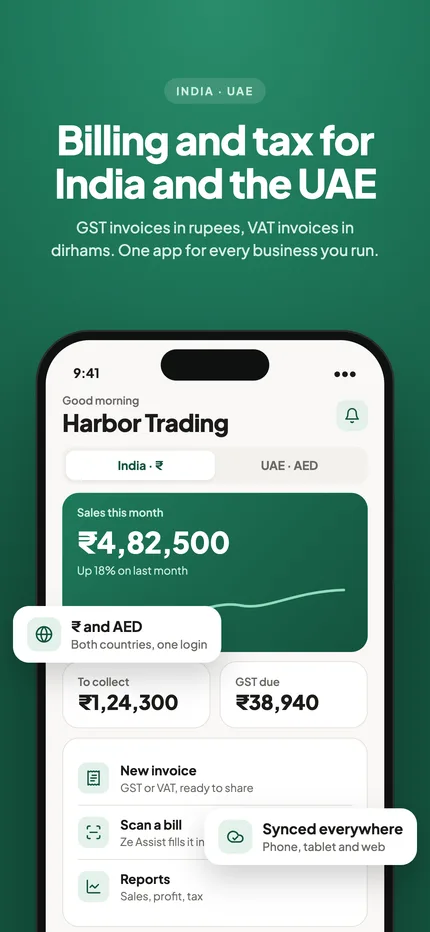
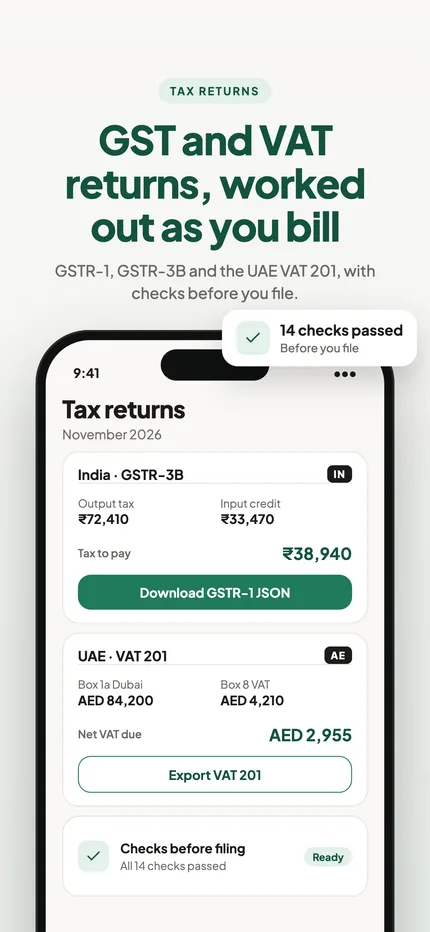
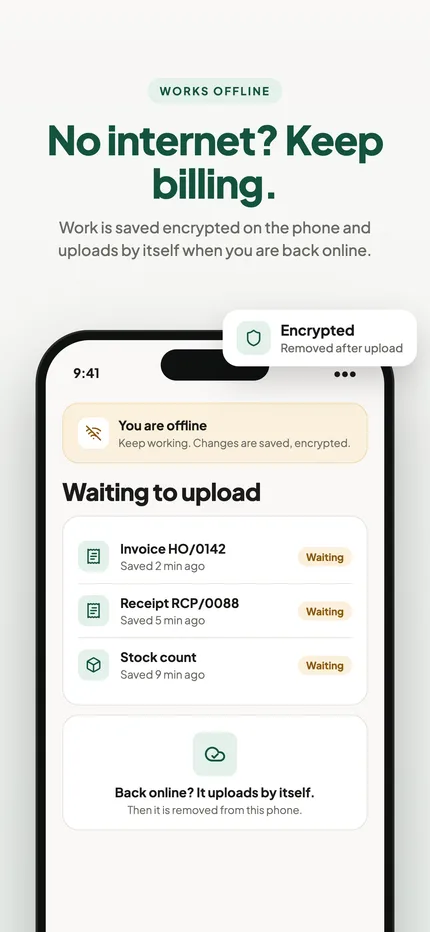
A look inside the app
Security
Built to keep your books safe
Your invoices, customers and accounts are your business. The app is designed so they stay private, even if a phone is lost or the internet goes down.
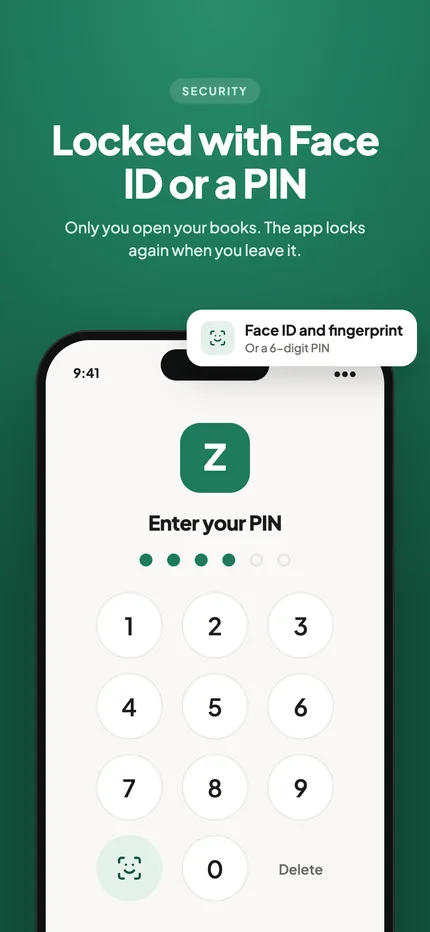
Face ID, fingerprint or PIN
Lock the app so only you can open it. It locks again when you leave it, after the time you choose, and the app switcher shows only the logo.
Encrypted on the phone
Anything waiting to upload is kept in an encrypted database, with its key in the phone’s secure keychain.
Nothing left behind
Once the server has your changes, they are removed from the phone. Your books live safely in the cloud, not on a device that can be lost.
Offline without losing work
Bill with no signal. Changes are saved first, then upload by themselves when you are back online, and nothing is ever overwritten silently.
Roles for your team
Staff see and do only what their role allows, checked on the server for every request, branch by branch.
Safe sign-out
Zebill warns you if anything has not uploaded yet, so a sign-out never throws work away.
Your first day in the app, step by step
- Start on the webCreate your business on the web, add your logo, GSTIN or TRN, and a few products. The app uses the same account.
- Sign in on your phoneUse your Zebill login. Your invoices, customers and settings are already there, with nothing to import.
- Turn on the lockSet Face ID, fingerprint or a PIN so only you can open the books on that phone.
- Make a billPick or scan the items, choose the customer, save, and share the PDF on WhatsApp or print to a receipt printer.
- Keep going without signalIf the network drops, carry on billing. Changes upload by themselves when you are back online.
Who uses it, and for what
- A shop owner at the counter. Scans products with the camera, prints a thermal bill, and checks the day’s sales from the same phone.
- A field sales person. Raises a quotation at the customer’s premises and converts it to an invoice when the order is confirmed.
- A distributor on the road. Checks who owes money before a visit, and records a payment on the spot.
- A clinic receptionist. Opens today’s appointments and shares a prescription with the patient from a tablet.
- A restaurant manager. Takes orders on a phone on the floor, and sends new items to the kitchen.
- A business owner travelling. Approves payroll for the month and looks at profit without opening a laptop.
What to know about phones and records
The app is listed as coming soon to the App Store and Google Play, so start on the web today. Because your books live on Zebill’s servers and not only on the device, a lost or replaced phone does not mean lost records.
Offline billing is a convenience, not a loophole. Invoices still follow the same numbering and tax rules once they upload. If you bill the same customer from two devices at once, check the invoice list after you reconnect, so that your series stays in order and nothing looks duplicated.
Staff roles apply on the phone exactly as on the web. A salesperson sees what the Sales role allows, and that is enforced on the server, not just hidden on screen. For tax and record-keeping, what matters is the same as on a computer: the right GSTIN or TRN, the right place of supply, and a copy kept for the period your local law requires. Ask your CA how long that is for your business.
Phone, tablet or computer: which for what
| Job | Best on | Why |
|---|---|---|
| Counter billing | Phone or tablet | Camera scanning and Bluetooth receipt printing |
| Month-end reports and CA pack | Computer | Bigger screen for registers and spreadsheets |
| Photographing supplier bills | Phone | The camera is already in your hand |
| Restaurant floor orders | Phone or tablet | Orders and kitchen items from the table |
| Reviewing the books with two panes | Tablet | Two-pane layout on large screens |
| Setting up products in bulk | Computer | Faster to type and paste lists |
Tips to get the most out of the app
- Lock it from day one. Phones are easy to leave on a counter. The lock takes a minute and covers everything.
- Sync before you sign out. If Zebill warns that something has not uploaded, wait for it. That warning protects your work.
- Give staff their own logins. Separate logins mean the audit trail shows who did what, and you can remove one person without touching the rest.
- Pair a Bluetooth printer once. After setup, receipts print straight from the bill screen.
- Use dark mode in dim shops. It is easier on the eyes in a cafe or a back office.
Common questions
Is there a Zebill app for iPhone and Android?
Yes. The Zebill app for iPhone, iPad and Android phones and tablets is coming soon to the App Store and Google Play. You can start on the web today; the same account works in the app.
Do I need a separate account for the app?
No. Sign in with your Zebill account. Your invoices, customers, products and settings are the same on the web, phone and tablet, always in sync.
Does the app work without internet?
Yes. You can keep making bills offline. Changes are kept safely on the phone, encrypted, and upload by themselves when you are back online. Older records show again once you are connected.
What happens if I lose my phone?
Your books are on Zebill’s servers, not only on the phone, so nothing is lost. The app is protected by Face ID, fingerprint or a PIN, and the owner can remove a person from the business at any time.
Can my staff use the app?
Yes. Add them to your business with a role, such as sales, accounts, doctor or technician. They see and do only what their role allows, and every change is recorded in the audit trail.
Can I scan barcodes and print receipts from the phone?
Yes. Scan barcodes with the phone camera, and print to 58 mm or 80 mm receipt printers, or share an A4 or A5 PDF.
Does the app cost extra?
The app uses your Zebill account. Zebill is free for the first 3 months, with no card needed, and the app is part of the same account.
Can two people bill from two phones at once?
Yes, each signed in with their own role. After any offline period, check the invoice list so numbers and totals are as you expect.
Can I use the app on a tablet in the shop?
Yes. Tablets get a two-pane layout, and the POS works on a tablet at the counter.
Is the camera scanner reliable?
It works for most printed barcodes in good light. For very busy counters, a USB or Bluetooth scanner is faster, and works as well.
Start on the web today, carry it in your pocket soon
Zebill is free while we are in early access. Set up your business in a few minutes and make your first invoice.