Invoicing
Professional GST and VAT invoices in seconds
Every sales document a small business needs, from the first quotation to the credit note, with the tax worked out for you and a design you are proud to send.
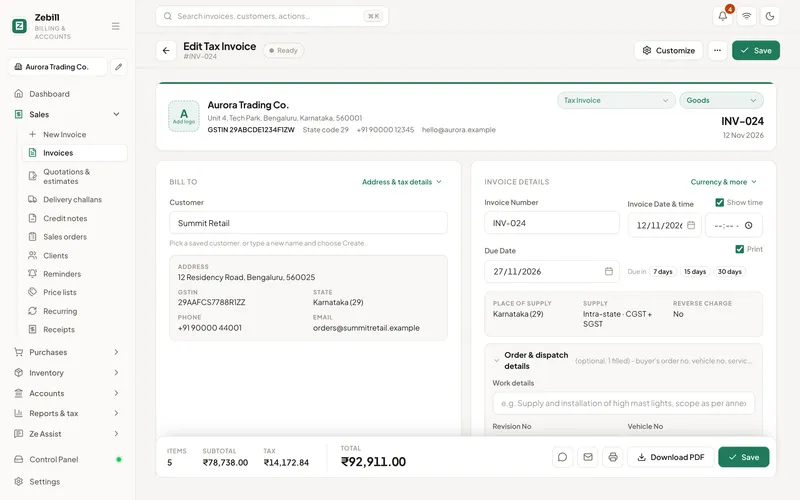
Seven documents, one flow
Tax invoice
With GSTIN, HSN, place of supply and the CGST, SGST or IGST split.
Bill of supply
For exempt goods or if you are under the composition scheme.
Quotation
Send a price, then turn it into an invoice in one click.
Proforma invoice
For advance payments before the final invoice.
Sales order
Track what was ordered against what was delivered and billed.
Delivery challan
Send goods without a sale, for job work or approval.
Credit note
For returns and discounts, linked to the original invoice.
Quote to cash
Quotation to sales order to challan to invoice to payment, without typing anything twice.
Fast to fill
Type less. Get the tax right.
Pick a customer and Zebill knows whether the sale is local or inter-state. Pick a product and its HSN code, rate, unit and GST come with it. Totals, round-off, the HSN summary and the amount in words fill themselves.
- Scan barcodes to add lines
- Discounts per line or on the bill
- Price lists for wholesale or member prices
- Credit limit warnings for customers who owe too much
Designs
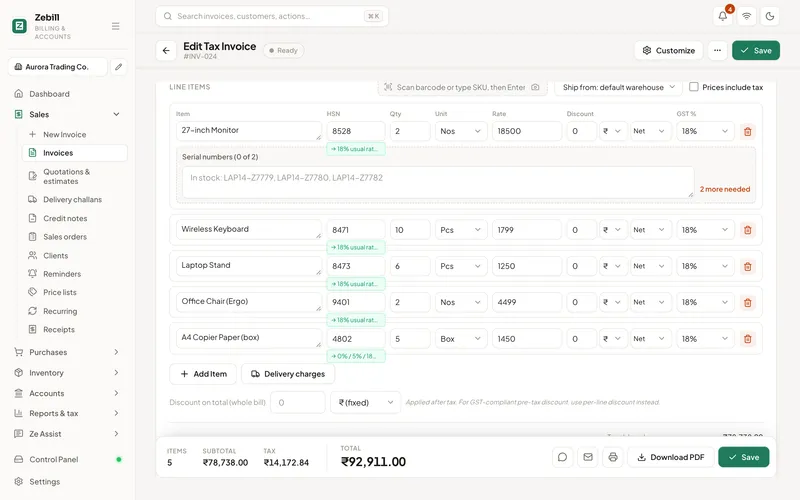
Twelve designs. Your logo. Your colours.
From the classic Indian ruled grid to a calm modern letterhead, every design carries the same compliant details.
- Ledger
- Studio
- Elegant
- Compact
- Split header
- Modern
- Classic
- Minimal
- Corporate
- Minimalist
- Boxed grid
- Tally style
- A4, A5 and 58 or 80 mm thermal
- Watermark with your logo or words like "Paid" or "Copy"
- UPI QR code with the amount, bank details and signature
- The time of issue printed when you need it
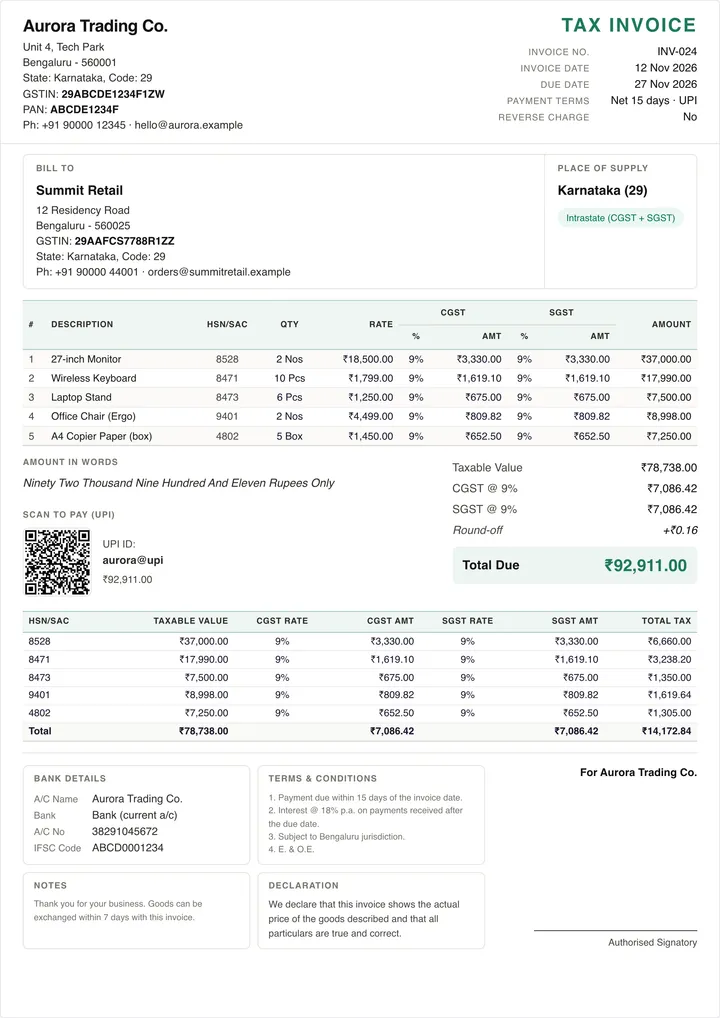
Share and repeat
Send it the way your customers like
Share an invoice on WhatsApp or by email from the invoice itself. Set up recurring invoices for monthly retainers and rent, and send payment reminders when they fall due.
- WhatsApp and email sharing
- Recurring invoices on a schedule
- Multi-currency invoices and exports under LUT
- Phone-friendly invoice list
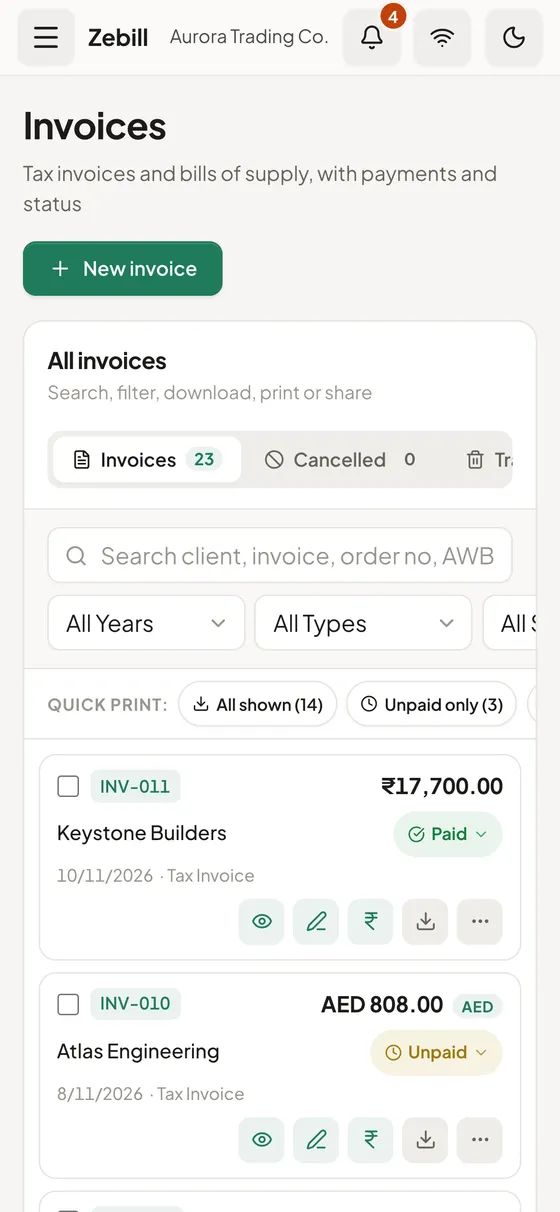
From blank page to sent invoice, step by step
The usual path, from your side of the screen.
- Pick the document typeChoose tax invoice, bill of supply, quotation or any of the other documents. The type decides which fields appear and which numbering series is used.
- Choose or add the customerSearch your customers, or type a new one. A GSTIN or TRN saved on the customer is used for the tax split and printed on the document.
- Add the itemsPick products from your list or scan them. Rates, HSN codes and tax come from the product, and you can change a rate or add a discount on any line.
- Check the tax and totalsLook at the tax split and the grand total before you save. If the customer is in another state, you will see IGST instead of CGST and SGST.
- Save, then share or printSave the invoice, then print it, download the PDF, or send it on WhatsApp or email. Record the payment on the same invoice when the money arrives.
Who uses it, and for what
- A wholesaler. Raises GST invoices to dozens of retailers a day, converts approved quotations into invoices, and sends delivery challans with the truck.
- A consultant or agency. Sends a quotation, takes an advance against a proforma invoice, and issues the final tax invoice when the work is accepted.
- An exporter. Invoices overseas customers in their currency, with the exchange rate, and marks the sale as under LUT or with IGST.
- A UAE trading company. Issues tax invoices with VAT and the customer’s TRN, and credit notes when goods come back.
- A shop owner. Prints a quick 80 mm bill at the counter for walk-in buyers and an A4 invoice for a business customer, from the same screen.
- A job-work unit. Sends goods out on a delivery challan without a sale, and bills only when the finished work is delivered.
The rules an invoice has to follow
An invoice is a legal document, not only a bill. These are the settled points Zebill is built around. Rates and thresholds change, so confirm anything specific to your case with your CA.
In India, a tax invoice must carry a consecutive serial number that is unique for the financial year, the date, the supplier’s name, address and GSTIN, the description, HSN or SAC code and quantity of each item, the taxable value, the rate and amount of each tax, and the place of supply. A business under the composition scheme, or one selling exempt goods, issues a bill of supply instead and does not charge tax on it.
Whether you charge CGST and SGST or IGST depends on the place of supply compared with your state. Same state means CGST and SGST in equal halves. A different state means IGST. Exports are zero-rated, either under a Letter of Undertaking without paying IGST, or by paying IGST and claiming a refund.
A credit note is how you reduce an invoice after the fact, for a return or a post-sale discount. It should refer to the original invoice. In the UAE, a tax invoice shows the word “Tax Invoice”, your TRN, the customer’s details, and the VAT amount in AED. A simplified tax invoice is allowed for smaller sales and for customers who are not VAT-registered.
Before and after Zebill
| Job | With a spreadsheet or Word file | In Zebill |
|---|---|---|
| Numbering | Type the next number and hope nobody duplicated it | Numbers run in order |
| Tax split | Work out CGST, SGST or IGST by hand | Chosen from the customer’s state and shown on the bill |
| Quote to invoice | Copy the quote and retype it | Convert the quotation, keeping the lines |
| Returns | Edit the old invoice or write a note on paper | A credit note linked to the original invoice |
| Chasing money | Scroll through old files to see who paid | The invoice shows its status and payments |
Tips to get the most out of invoicing
- Fill in products properly once. A correct HSN code and tax rate on the product saves you correcting every invoice that uses it.
- Save the customer’s GSTIN or TRN. It removes a typing step and keeps the tax split right for repeat customers.
- Use a watermark when it helps. A “Copy” mark on the second print or “Paid” on a settled invoice avoids confusion in the office.
- Keep one design for business, one for the counter. A formal A4 layout for B2B and a compact thermal bill for walk-ins keeps each customer happy.
- Never delete, always reverse. If an invoice was wrong, use a credit note so the number series and your returns stay in order.
Common questions
Are Zebill invoices GST compliant?
Zebill prints the fields Rule 46 of the CGST Rules asks for on a tax invoice, including your GSTIN, a consecutive number, the date, the customer’s GSTIN for B2B, HSN or SAC, taxable value, rate and amount of each tax, and place of supply. See our GST invoice guide.
Can I print on a thermal printer?
Yes. Zebill prints 58 mm and 80 mm thermal bills as well as A4 and A5. See thermal printing.
Can customers pay by UPI from the invoice?
Add your UPI ID once and a UPI QR code with the bill amount prints on your invoices and receipts.
Can I invoice customers abroad?
Yes. Invoice in any currency with an exchange rate, and mark exports under LUT (without payment of IGST) or with IGST. Zebill keeps the rupee values your returns need.
How do I send an invoice to a customer?
Download the PDF, print it, or share it on WhatsApp or email straight from the invoice.
Can I convert a quotation into an invoice?
Yes. Open the quotation and convert it, and the lines carry over. You can still edit quantities or rates before you save the invoice.
What should I do if I issued an invoice by mistake?
Issue a credit note against it instead of deleting it. That keeps your numbering unbroken and your returns consistent. Ask your CA about the right treatment in the return for that period.
Does an invoice work for a UAE business too?
Yes. A UAE business invoices in AED with VAT and the customer’s TRN, and can issue a simplified tax invoice for smaller sales where the rules allow it.
Guides and articles
All articles- GuideProforma invoice vs tax invoice: what is the difference?4 min
- GuideBill of supply vs tax invoice: which one to issue4 min
- GuideCredit note vs debit note under GST: when to issue each5 min
- GuideHow to number your invoices (GST and VAT rules)4 min
- GuideGST on advance payments: goods vs services4 min
- ArticleInvoicing foreign clients in USD, AED or EUR: a practical guide5 min
Make your first invoice today
Zebill is free while we are in early access. Set up your business in a few minutes and make your first invoice.